What's new in ABCDancer 3.0
ABCDancer 3.0 changelog: the song synced to your dance, plus clips, transitions, looks, keyframes, lyrics with English, two camera angles, AI edit and 4K saves.
 Costi Mihai5 min read
On this page
Released November 2026 · Version 3.0.0
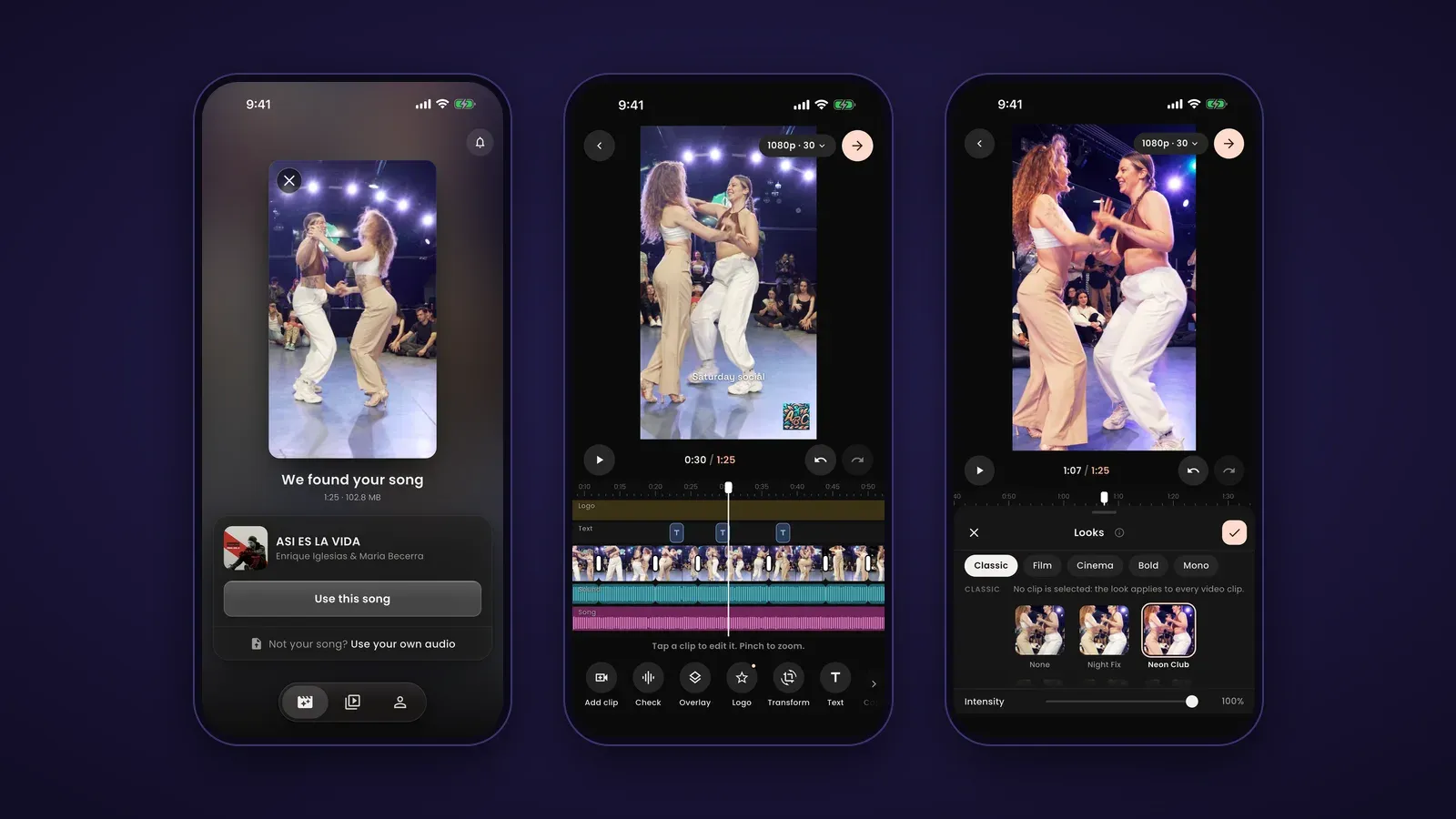
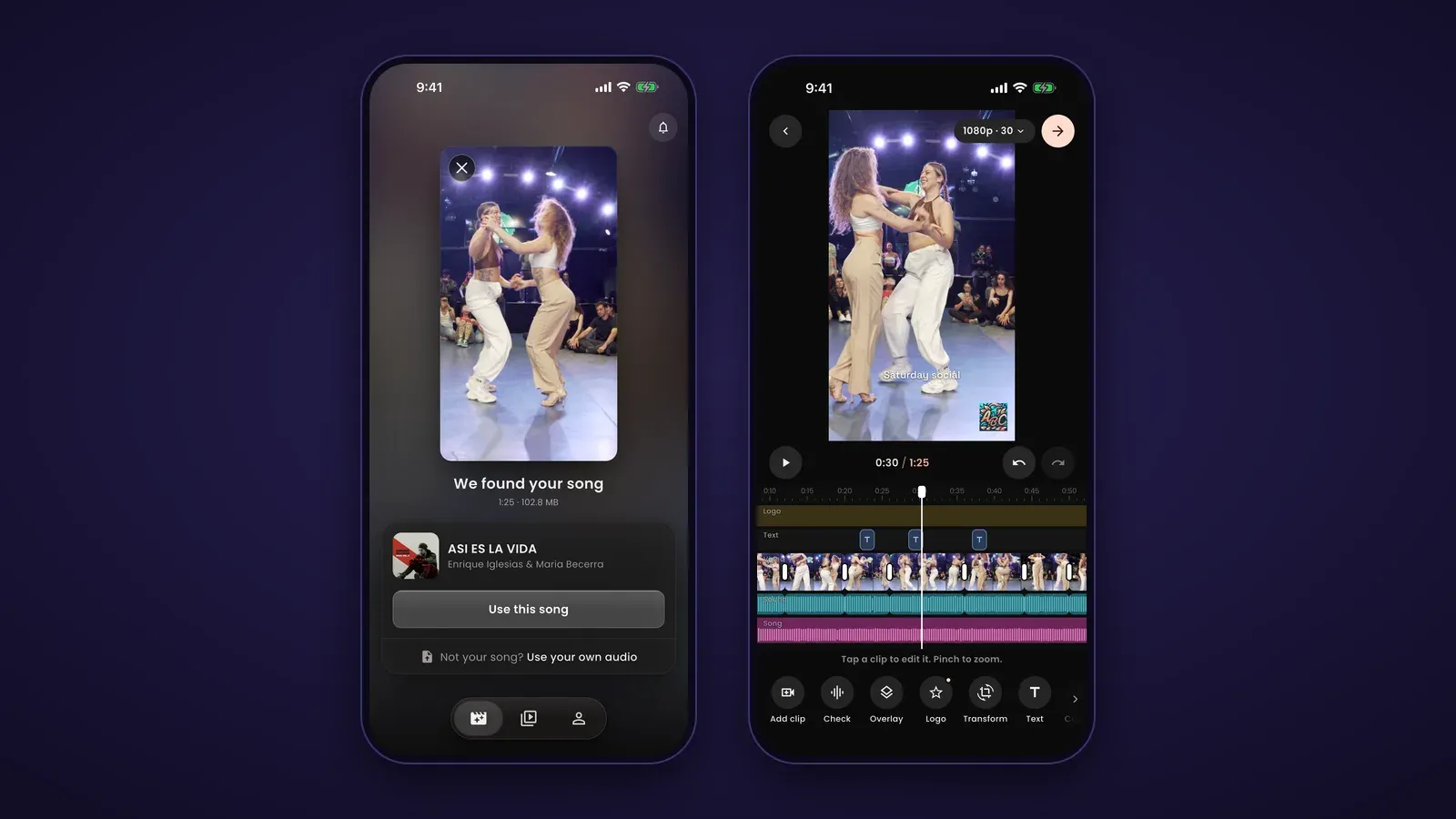
ABCDancer is an app for social dancers on iPhone and Android. You pick a dance video, it finds the song and lines a clean recording of it up under your dance, so the video sounds like the music did on the floor. Version 3.0 adds a lot of editing tools around that: clips, transitions, looks, text, lyrics captions, a second camera angle, AI edit and 4K saves.
This page lists every change in 3.0, in plain words. For the short tour, see the home page. If you mostly care about the sound, read how to fix the sound on a social dance video.

What stays the same?
The heart of the app works as before:
- Pick a dance video from your phone.
- ABCDancer listens to it, tells you which song it found, and lines the song up with your recording.
- If it is not your song, tap Use your own audio and pick an MP3 or WAV file instead.
What changed is everything that happens after that.
What's new in the editor?
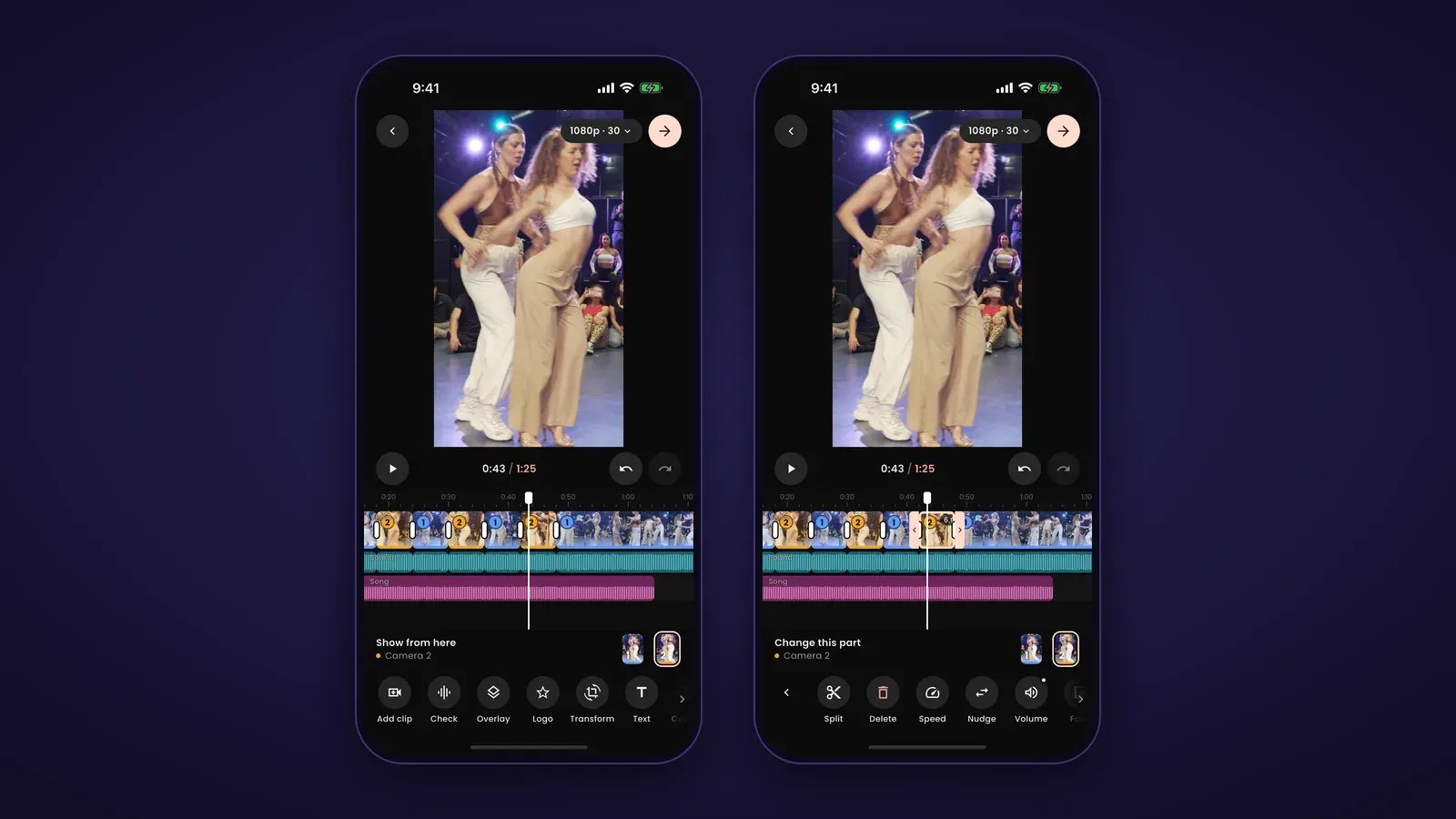
Your video now opens on a timeline with separate lanes for the video, its own sound and the song.
- Several clips. Add clips, change their order, split, trim, duplicate and delete them.
- Speed. Slow a clip down to a quarter of its speed or speed it up to four times, for example to slow down a dip. The song stays in time.
- Undo and redo for every change.
- Transitions between clips: fade, dip to black, wipe, iris, push, zoom and blur.
- Formats for where you post: 9:16, 4:5, 1:1 or 16:9. Crop, turn, mirror and place each clip, with a blurred background or a border if the clip doesn't fill the frame.
- Keyframes. Set a zoom and position at one moment and another later, and the picture moves between them. Handy for zooming in on footwork. Logos, stickers and blur can move over time too, and so can a look's strength and the Adjust values.
- Full screen. Tap the video to watch it full screen.
What's new for colour and motion?
- Looks: colour styles in packs, each with a strength slider.
- Adjust: light, colour and levels, plus vignette, grain, split tone and glow, on one clip or all of them. Save your own presets.
- Animation: clips can fade, slide, zoom, reveal, focus or pan in and out, or start with a camera move.

What's new for text and lyrics?
- Text and titles anywhere on the video, with fonts, colours, outlines and titles that move in.
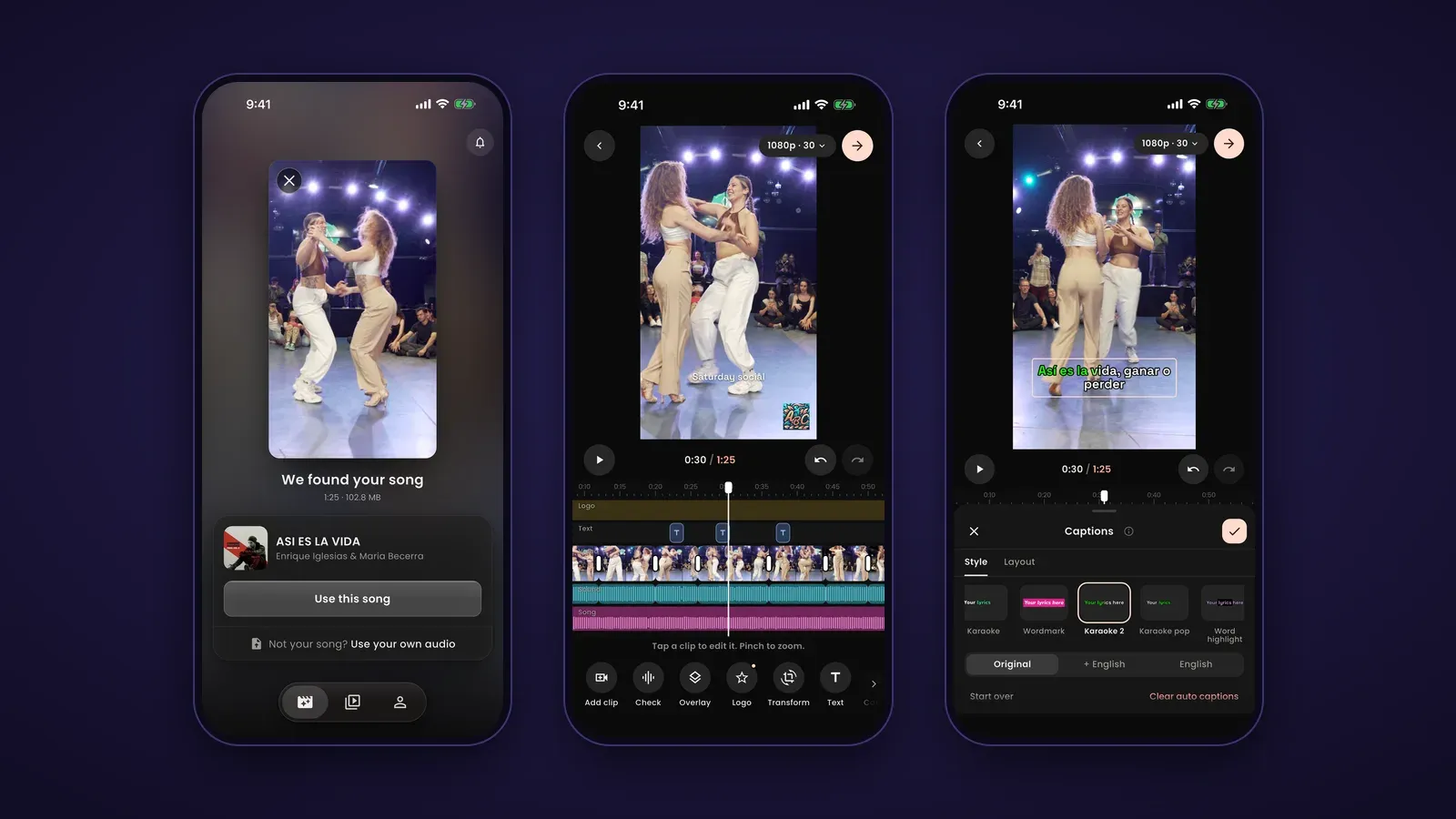
- Lyrics captions. Tap Generate and the song's lyrics go on your video in time with the music. Styles can light up each word as it is sung.
- English translation. Show the original words, the English translation, or both together.
- Songs without published lyrics can get lyrics transcribed from the song, for many songs.
- Logo. Your school or event logo, saved as a preset, can now also change over time with keyframes.
What's new for sound?
- Balance sets how much of your video's own sound plays under the song.
- Check the match: slide toward your video's sound to hear both together and confirm they line up.
- Adjust sync if you want to fine-tune: pick an alternative match, type an offset in seconds, nudge it frame by frame, or drag the song on the timeline.
- Tempo matches a DJ's faster or slower cut of the song, from 80 to 120 percent.
- Audience audio, the claps and cheers from your video kept under the clean song, now lives in the new editor.
Can I use two camera angles?
Yes. If a friend filmed the same dance from another phone, tap Add another angle. ABCDancer lines the second video up on the song, then you choose which camera shows from each point with Show from here. More in how to sync two phone videos of the same dance.

What is AI edit?
AI edit lets you type what you want in your own words, like "fade in and out" or "make it black and white", and it makes the change with the editor's tools. It also suggests ideas for your video. Everything it does can be undone in one tap.
What changed when you save and share?
- Quality: choose Smaller, Recommended or Best, up to 4K where your phone and video allow.
- HDR: HDR videos from your phone can stay HDR after you edit them.
- Cover: pick the frame people see first, and add text or stickers to it.
- Share screen: after saving, share straight to Instagram, your Story, WhatsApp or another app.
- Report a problem: if a save goes wrong, you can send it to us from the saved screen.
What else changed?
- Storage: each video and song is kept once on your phone, leftovers from earlier versions are removed, and a Storage section in your profile shows what the app uses, with a button to free up space.
- My projects has a new look, with your newest project on top.
- Editor tour: a short first-run tour shows where the tools are.
- About in your profile has the privacy policy, the terms and the open source libraries.
Frequently asked questions
What does ABCDancer do?
ABCDancer is an app for iPhone and Android that finds the song in your dance video and lines a clean recording of it up under your dance, so the video sounds like the music did on the floor. Then you edit the video and save or share it in the same app.
Can I still use my own audio file?
Yes. If the app finds a different song, or you danced to a mix, tap Use your own audio and pick an MP3 or WAV file. The app lines it up with your video.
Do I need an account to try the new tools?
No. You can find the song, sync it and try every editing tool before you make an account. You log in when you save.
Which languages can the lyrics captions show?
The original words of the song, an English translation, or both together. Lyrics are not available for every song.
Does ABCDancer 3.0 work on Android?
Yes. ABCDancer 3.0 is out now.
Related: How to fix the sound on a social dance video · Best video editing apps for dancers · How to sync two phone videos of the same dance
Free to try. Get ABCDancer on the App Store or Google Play.

More from the blog
More from the blog
How to fix the sound on a social dance video
Why social dance videos sound bad, and how to fix it: put a clean recording of the song under your dance, line it up, and fix offset and drift.
Best Video Editing Apps for Dancers in 2026
ABCDancer, CapCut or Instagram? A fair 2026 comparison of video editors for dancers: song sync, sound quality, editing tools and price.
How to sync two phone videos of the same dance
Two friends filmed your dance from different angles? Line the clips up on the music, by hand or automatically, then cut between them.
Put the real song under your dance.
ABCDancer finds the song in your video and lines it up on the beat.